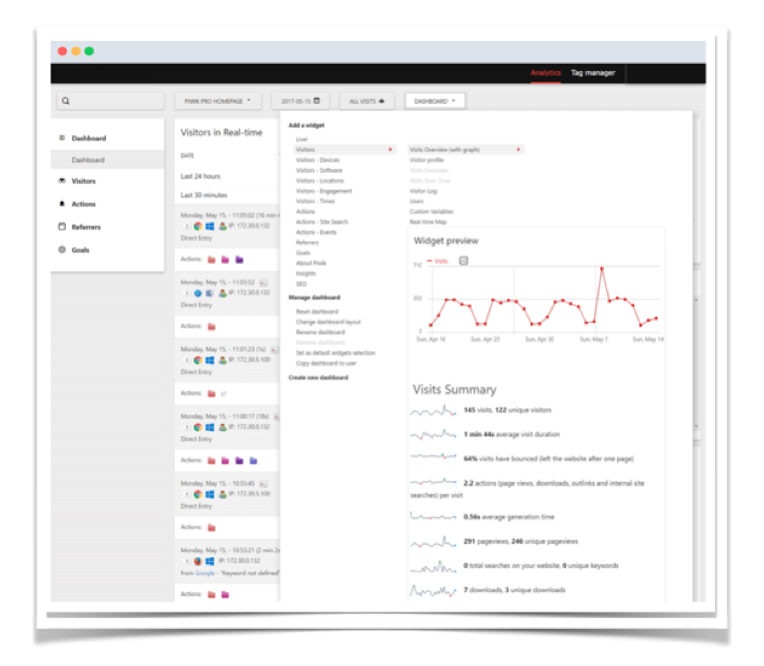
Functionality available with Analytics
Click Path
Understand how users converted to Goals by showing which ‘paths’ they followed before a Goal Conversion. The Click Path feature shows you the popular sequences of pages by visitors on your website as they travelled towards Goal Conversions.

Discover Paths Leading to Conversions
Learn about the paths visitors follow and user behaviour before converting to a goal.

Track Usability Issues
Use Click Path to find usability issues like 404 pages and dead-end paths and optimize your site’s User Experience.
Content Groups
Take advantage of content groups to organize your data and track URLs and pages together.

Segmentation
Use Analytics tools’s segmentation features to follow visitor’s paths using the attributes that you think are most important like geographical location or lead qualification.
Streamline your website and boost conversions with Click Path
Analytics tools Click Path reports help show unexpected paths users take when reaching goals. Uncover navigation and UX problems, optimize conversion funnels, and understand how users behave on your website.
Fix your website
Click Path gives you knowledge that can help you understand where your website needs to be more user-friendly. Improve the user experience and get more conversions.
Discover unexpected user behaviour
Click Path shows you places where users in your funnel behave differently from your expectations.
Boost e-commerce conversion rates
Use Click Path reports to enhance your site users’ experience by shortening their journey to particular subpages and products.